
Scope of this technical record
Turns SIMOVERT MASTERDRIVES USS, SIMOLINK, PROFIBUS-DP, PMU/OP1S and DriveMonitor communication cases into a topology, node, backup and electronics-power evidence route.
Communication troubleshooting must not become live cabinet probing. Treat network access, parameter backup and control-power evidence as service planning unless qualified personnel are working under the OEM procedure.
MASTERDRIVES communication topology image
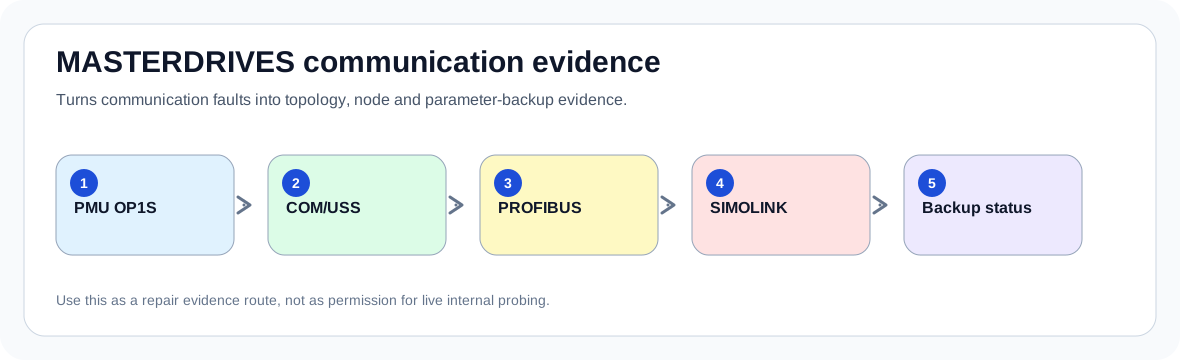
First decision before troubleshooting
The first decision is whether a missing keypad/PC/PLC connection is a cable problem, option-board problem, CUVC problem, node-address problem, electronics supply problem or lost parameter set. A useful answer must preserve configuration evidence before hardware is disturbed.
For older MASTERDRIVES machines, restoring communication can be as important as replacing electronics. A drive that loses its parameter set or cannot be reached by the PLC may be down even if the power stage is intact.
Fault timing is the first diagnostic measurement
The same drive family can show the same code for different reasons depending on when the event appears. The first useful evidence is not the replacement part number; it is the first fault, the operating moment and the measured boundary at that moment.
A code list defines the label. A service record defines what must be proven before the next energization or hardware purchase.
Timing-to-action map
| Observed event | Most likely branch to prove | Evidence that closes the branch | Stop condition |
|---|---|---|---|
| No PMU/OP1S access | Local interface or electronics supply | Keypad status, X300/COM evidence, supply state | Do not assume fieldbus failure |
| PLC cannot see drive | PROFIBUS/USS node and option path | Address, bus termination, option identity, PLC diagnostic | Do not reset parameters before backup |
| Multi-drive link unstable | SIMOLINK or device-to-device topology | Node order, fibre/RS485 route, which axis drops first | Do not swap boards without topology photo |
| After replacement | Parameter set, board compatibility, protocol configuration | Old backup, new board identity, parameter mismatch | Do not energize production machine without configuration proof |
Repair boundary before replacing hardware
Legacy industrial drives are often repaired after production pressure has already caused several resets or swapped parts. The record therefore sets a boundary: prove the external energy path, the motor or field path, the command path and the measurement path before a board is treated as defective.
A good repair intake can often reject the wrong purchase. For example, a DC-link fault with missing input phase evidence is not a capacitor case yet; an overcurrent with a jammed load is not an inverter-board case yet; a field-loss code with open field wiring is not a control-board case yet.
Boundary proof table
| Boundary | What to check | What confirms it | What not to do |
|---|---|---|---|
| Electronics power | Confirm control electronics are stable | Interface dies with supply dip | Diagnose protocol while power is unstable |
| Physical medium | Cable, fibre, termination and connector route | Fault follows physical movement or damaged link | Replace CUVC first |
| Protocol/node | Address, baud, parameter set, option type | Controller sees wrong/missing node | Factory reset before backup |
| Configuration | Parameter upload/download evidence | Known-good backup restores control | Treat communication as only a cable issue |
Evidence package that makes the record actionable
A useful service record tells the technician what to collect next: model identity, first fault, trip timing, measurements, photos and repair history.
When this evidence is present, a service team can decide whether the next step is field wiring, supply correction, parameter recovery, board-level bench work, power-module verification or modernization planning.
Repair request evidence
| Evidence | Why it matters | Useful example |
|---|---|---|
| Network photo | Shows topology and option cards | CUVC + PROFIBUS card + fibre ring photo |
| Fault and alarm queue | Prevents chasing secondary messages | Original message before cable swaps |
| Backup status | Legacy machines depend on parameter sets | OP1S or DriveMonitor upload available |
| Node list | Needed for multi-drive systems | Axis 3 drops when axis 2 cabinet door moves |
How this record supports a repair decision
Many fault-code references stop at the code definition. A practical service record has to connect the event to the field decision: inspect supply, DC bus, regenerative energy, motor cable, field circuit, communication topology, feedback measurement or board-level protection first.
This record keeps the path narrow. It converts the event into safe evidence, then states when the case becomes a board-level or component-level repair question before a drive is sent out or expensive parts are ordered.
Field record checklist
- Protocol used
- CUVC and option board identity
- PMU/OP1S/PC access result
- Parameter backup status
- Network topology photo
- PLC diagnostic message
- First communication symptom before swaps
Technical basis and reference documents
This is an independent editorial technical reference. Original manufacturer documentation remains controlling for installation, repair and commissioning decisions.
Used for MASTERDRIVES family terminology, DC-link behaviour and fault-reference boundaries.
Used to align fault terminology; the guidance is written as a diagnostic evidence route, not a raw fault-code copy.
Linked records
Turn this record into a qualified service request
A repair decision is much more reliable when the request includes the exact identity of the drive, the first fault evidence and the machine condition when the symptom appeared.
- Complete drive type code / MLFB or nameplate model
- Fault code, fault value and first event before reset
- When the event appears: power-up, enable, ramp, run, decel or stop
- Motor/cable connected or isolated during the symptom
- Visible board, option-card, module and connector identifiers
- Previous repair history, replacement parts and repeat-failure pattern