
Unidrive AC servo/vector drives
Technical records for Control Techniques Unidrive SP and Unidrive M service cases, beginning with OI.AC overcurrent, Over Volts, PS.24V, O.ht heatsink temperature and encoder/feedback instability routes.
Scope of this technical record
Brand-level routing for Control Techniques / Nidec Unidrive SP and Unidrive M service cases where trip labels must be connected to brake, feedback, DC-bus, thermal and 24 V load evidence.
Unidrive systems often control hoists, winders and closed-loop axes. Secure the machine before changing control mode, feedback wiring or brake logic.
Unidrive service routing map
Use the trip code only as the first marker. Timing, feedback and machine evidence decide the repair route.
Unidrive machine-evidence map
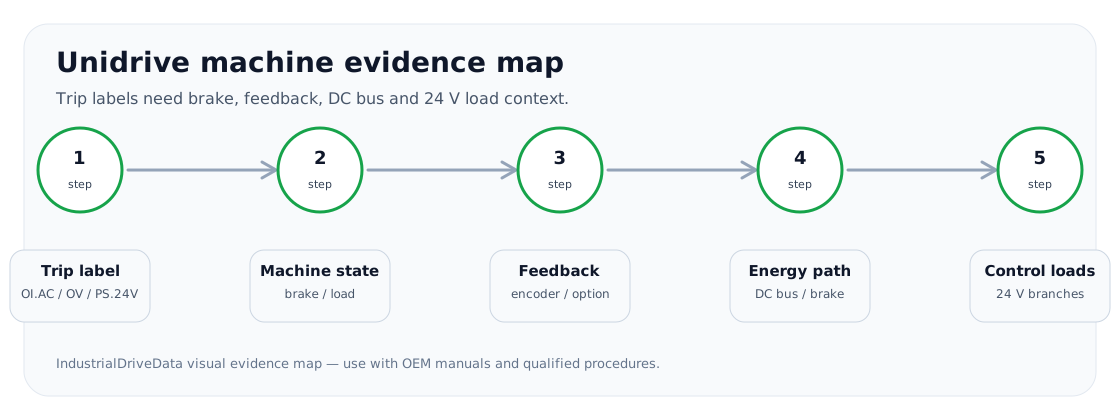
Why Unidrive pages need machine evidence
Unidrive cases often look short—OI.AC, Over Volts, PS.24V, O.ht, encoder fault—but the installed machines are not simple. A closed-loop hoist, winder or servo/vector machine can trip from brake timing, encoder direction, feedback noise, external 24 V loads or regenerative energy even when the power stage is healthy.
The hub therefore routes every Unidrive request through machine context: output path, DC bus/brake path, control-supply/option-module path and feedback/cooling evidence.
Unidrive first-split matrix
The first split prevents a trip-code lookup from becoming a wrong board replacement.
Unidrive service split
| Trip/case | First evidence | Route |
|---|---|---|
| OI.AC | Enable/ramp timing, brake/load, motor cable, feedback | Output-current and vector-control path |
| Over Volts | Decel/lowering event, DC-bus trend, brake resistor/chopper | DC-bus and braking path |
| PS.24V | External loads, option modules, encoder supply | Control-supply isolation path |
| O.ht | Cold/hot timing, fan/heatsink, load duty | Thermal/cooling evidence |
| Encoder instability | Shielding, direction, supply, option module | Feedback path |
Support request standard
A Unidrive support request should include the exact drive family, option modules, encoder or feedback device, motor and brake arrangement, trip log, event timing and whether the machine is open-loop, closed-loop vector or servo-like. This evidence changes whether the next step is parameter review, field wiring, option-module work, power-stage evaluation or modernization.
- Exact Unidrive model and option modules
- Control mode and feedback device
- Brake/load arrangement
- Trip log and timing
- External 24 V loads and cooling evidence
Field record checklist
- Model/option identity
- Control mode
- Trip timing
- Feedback/brake evidence
- 24V and cooling evidence
Technical basis and reference documents
This is an independent editorial technical reference. Original manufacturer documentation remains controlling for installation, repair and commissioning decisions.
Trip-code index used as a public cross-check for OI.AC, Over Volts and supply/thermal contexts.
User-guide reference for Unidrive installation, operation and trip-log context.
Available series
Turn this record into a qualified service request
A repair decision is much more reliable when the request includes the exact identity of the drive, the first fault evidence and the machine condition when the symptom appeared.
- Complete drive type code / MLFB or nameplate model
- Fault code, fault value and first event before reset
- When the event appears: power-up, enable, ramp, run, decel or stop
- Motor/cable connected or isolated during the symptom
- Visible board, option-card, module and connector identifiers
- Previous repair history, replacement parts and repeat-failure pattern